
When an Excel risk register stops working, and how to move to a risk management platform without losing the history or the confidence of your teams.
Moving from an Excel risk register to a risk management platform is a step many risk teams take once the spreadsheet becomes the risk. A risk register is the record of what could go wrong, how likely and damaging it is, who owns it and what is being done. In Excel it works for a small team with a handful of risks. As more people contribute, the file starts to hide as much as it shows.
Key takeaways
- A spreadsheet records risks; a platform manages the process around them.
- The usual triggers are many contributors, inconsistent scoring, missed actions and slow reporting.
- Agree your risk taxonomy and scoring criteria before you choose or configure any tool.
- Migrate in stages and keep the history, so confidence in the register carries over.
- A platform improves visibility and follow-up. It does not remove the need for good judgement about risk.
Why do Excel risk registers stop working?
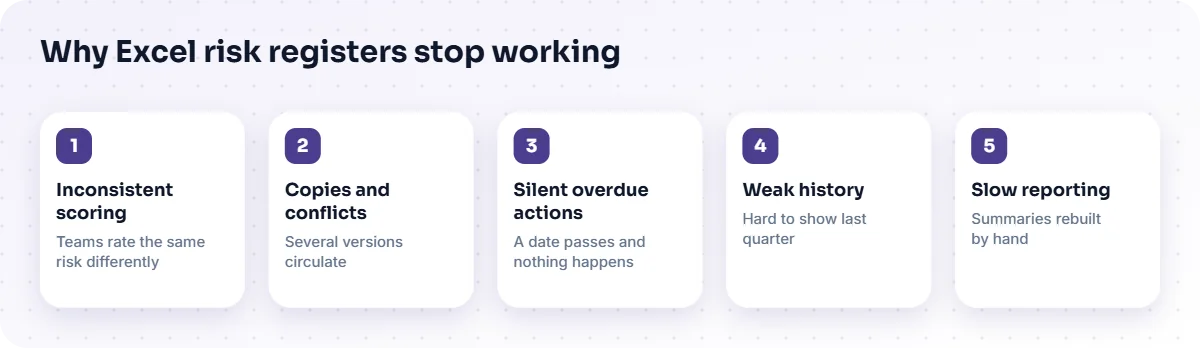
Excel risk registers stop working when more than a few people need to add, score and act on risks at the same time. The file is a single table, but risk management is a process with owners, reviews and deadlines. The strain shows up in familiar ways:
- Inconsistent scoring. Two teams rate the same kind of risk differently because the criteria live in someone's head.
- Copies and conflicts. Several versions circulate, and merging them is a chore.
- Silent overdue actions. A mitigation date passes and nothing happens, because a cell cannot chase its owner.
- Weak history. You cannot easily show what a risk looked like last quarter, or who changed it.
- Slow reporting. Each management summary is rebuilt by hand, so it is out of date on arrival.
What does a risk management platform add?
A risk management platform adds structure, workflow and traceability around the register. Instead of one table, it holds the whole lifecycle: capture, assessment, review, treatment and reporting. The Enterprise Risk Management Platform from TecBytz, for example, is built around that lifecycle with a risk register, assessment against configured criteria, a risk heat map, mitigation action tracking, approval workflows, a history of changes and dashboards for authorised users.
| Need | Excel risk register | Risk management platform |
|---|---|---|
| Consistent scoring | Relies on people following a guide | Scores against configured criteria |
| Ownership and follow-up | A name in a column | Assigned actions with due dates and progress |
| Review and approval | By email, informally | Routed through defined stages |
| Change history | Overwritten values | Workflow history retained, where configured |
| Management view | Rebuilt manually | Dashboards and a heat map |
What should you agree before you move?
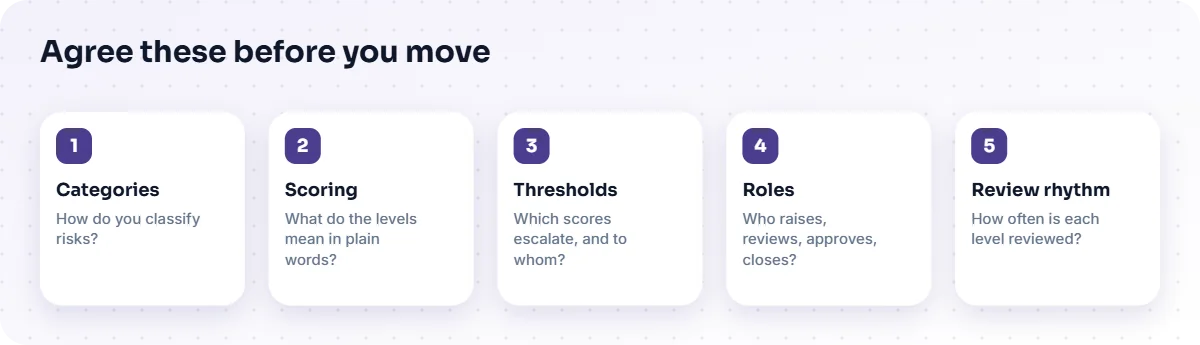
Agree your risk taxonomy and scoring criteria first. A platform will faithfully apply whatever it is given, including an inconsistent scheme. Settle these points on paper:
- Categories. How do you classify risks: by business unit, type, process or a combination?
- Scoring. What do the likelihood and impact levels mean in plain words, with examples?
- Thresholds. Which scores need escalation, and to whom?
- Roles. Who may raise, review, approve and close a risk?
- Review rhythm. How often is each level of risk reviewed?
This groundwork often matters more than the software. It also reveals disagreements that were hidden by the flexibility of a spreadsheet.
How do you migrate without losing history?
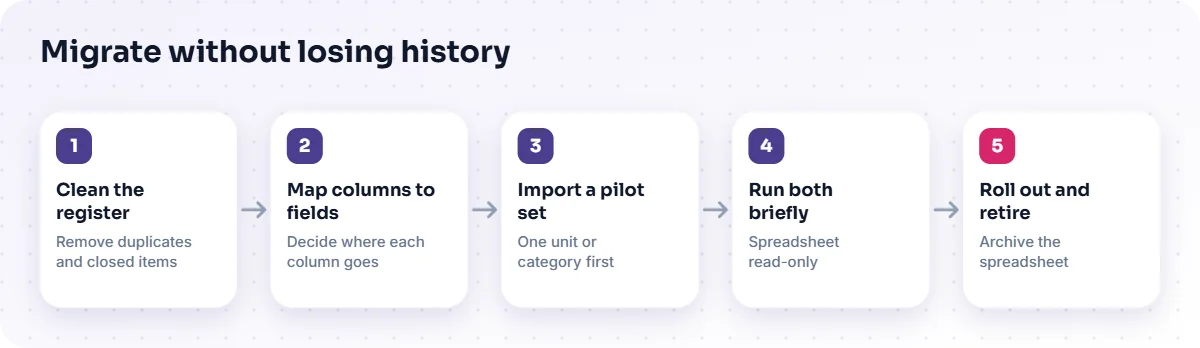
Migrate in stages, keep the old register as a read-only archive and carry across only what is current and accurate. A staged approach protects confidence, because people can see the new system working before they rely on it.
- Clean the register. Remove duplicates and closed items, and fix obvious scoring inconsistencies.
- Map columns to fields. Decide where each column goes in the platform, and which are not needed.
- Import a pilot set. Move one business unit or category first and test the workflow with real users.
- Run both briefly. Keep the spreadsheet read-only while the pilot proves itself.
- Roll out and retire. Move the remaining units and archive the spreadsheet with a clear date.
Which systems should the platform connect to?
Connect it to the systems that tell you who people are and how to reach them. Typically that means your directory for users and roles, and email or messaging for notifications. These are common needs rather than confirmed features of any particular product; with the Enterprise Risk Management Platform, TecBytz confirms what is supported for your deployment. Where a connection is not available out of the box, our enterprise application integration team can scope it.
What does a platform not do for you?
It does not decide which risks matter, or how much risk is acceptable. It does not replace conversations between risk owners and leaders. A heat map is only as meaningful as the scoring behind it. Treat the platform as the place where judgement is recorded, tracked and reported, not as a substitute for it.
How do you know the move has worked?
Look for outcomes you can observe rather than promises. Are reviews happening on time? Do overdue actions get noticed and resolved? Can a manager see current exposure without asking someone to build a report? Can you show a risk's history when asked? Choose two or three of these before you start, and check them after a quarter of use.
The next article in this series covers the detail of building an auditable risk workflow, from identification to mitigation.
How do you get people to use the new platform?
People use a new platform when it makes their own work easier and when leaders use it too. Show risk owners what they gain: clear tasks, automatic reminders and no more chasing for updates. Keep the first step of raising a risk short. Run the management review from the platform itself, so that the register everyone sees is the register that matters. If leaders still ask for a spreadsheet summary, teams will keep updating the spreadsheet.
Name a small group of champions in each business unit who can answer questions in the first weeks. Short, practical training on real risks works better than a long generic session.
What should you ask a supplier before you commit?
Ask how the platform handles your own taxonomy and scoring, how approval stages are configured, what history is retained and how reports are produced. Ask which integrations are standard and which need custom work, who supports the system after go-live and how upgrades are handled. Ask for a demonstration using a handful of your real risks rather than sample data, because that is where mismatches between the tool and your process appear.
Frequently asked questions
Is an Excel risk register ever enough?
Yes, for a small team with few risks and one maintainer. The case for a platform grows with the number of contributors and the scrutiny on the process.
What is a risk heat map?
A grid that plots risks by likelihood and impact so that high-exposure items stand out. It depends on consistent scoring to be useful.
Can we keep our existing risk categories?
Usually, yes. A platform can be configured with your taxonomy. It is a good moment to simplify it if it has grown unwieldy.
How long does migration take?
It depends on the size and cleanliness of your register and the number of teams. TecBytz gives you an estimate once we have looked at your register and your process during discovery.
Next step
List the five things your current register cannot tell you without manual work. If the list is not short, it is worth looking at the Enterprise Risk Management Platform, or you can book a discovery call and we will review your register with you. Our business process automation service also covers the process design.
Last updated: