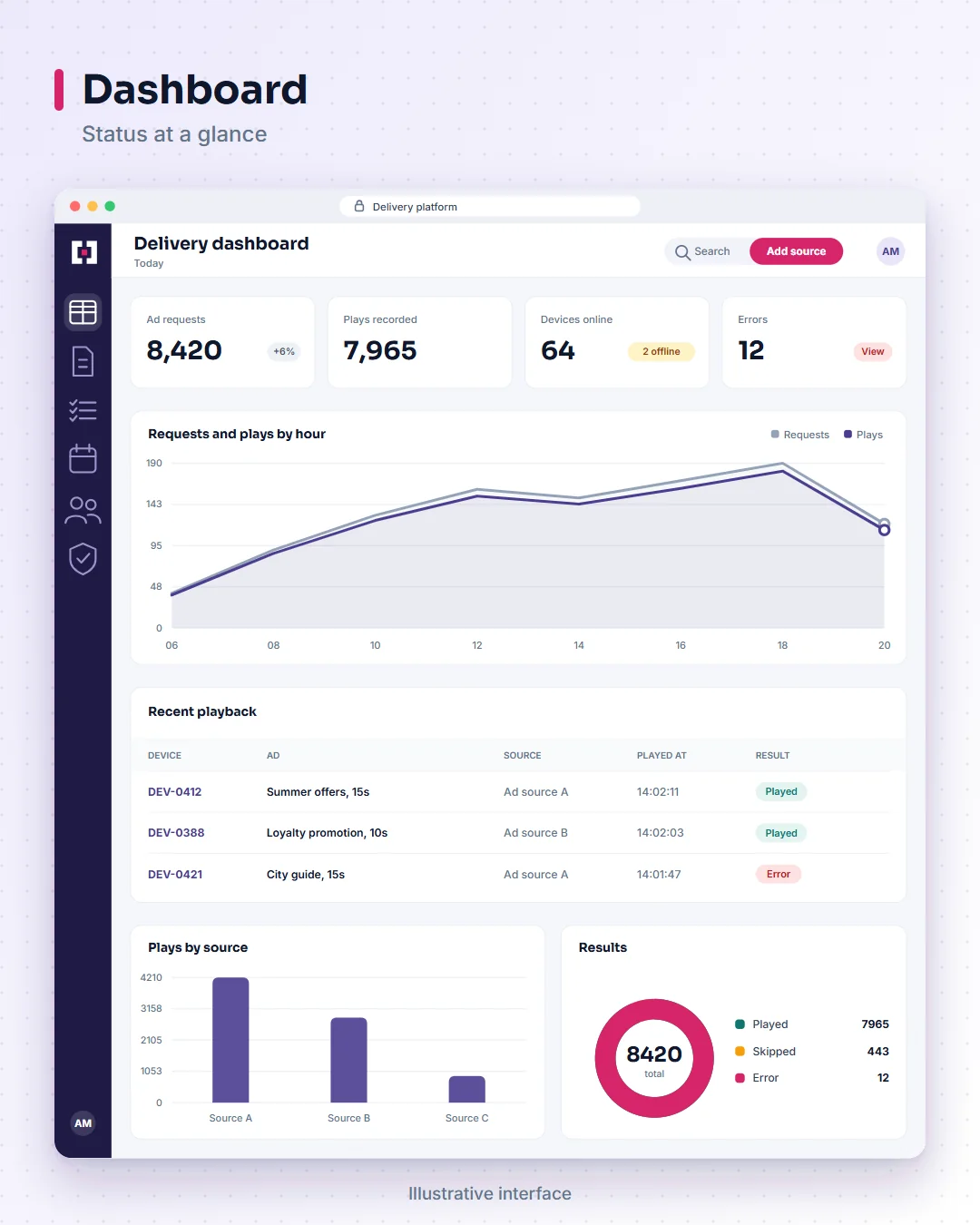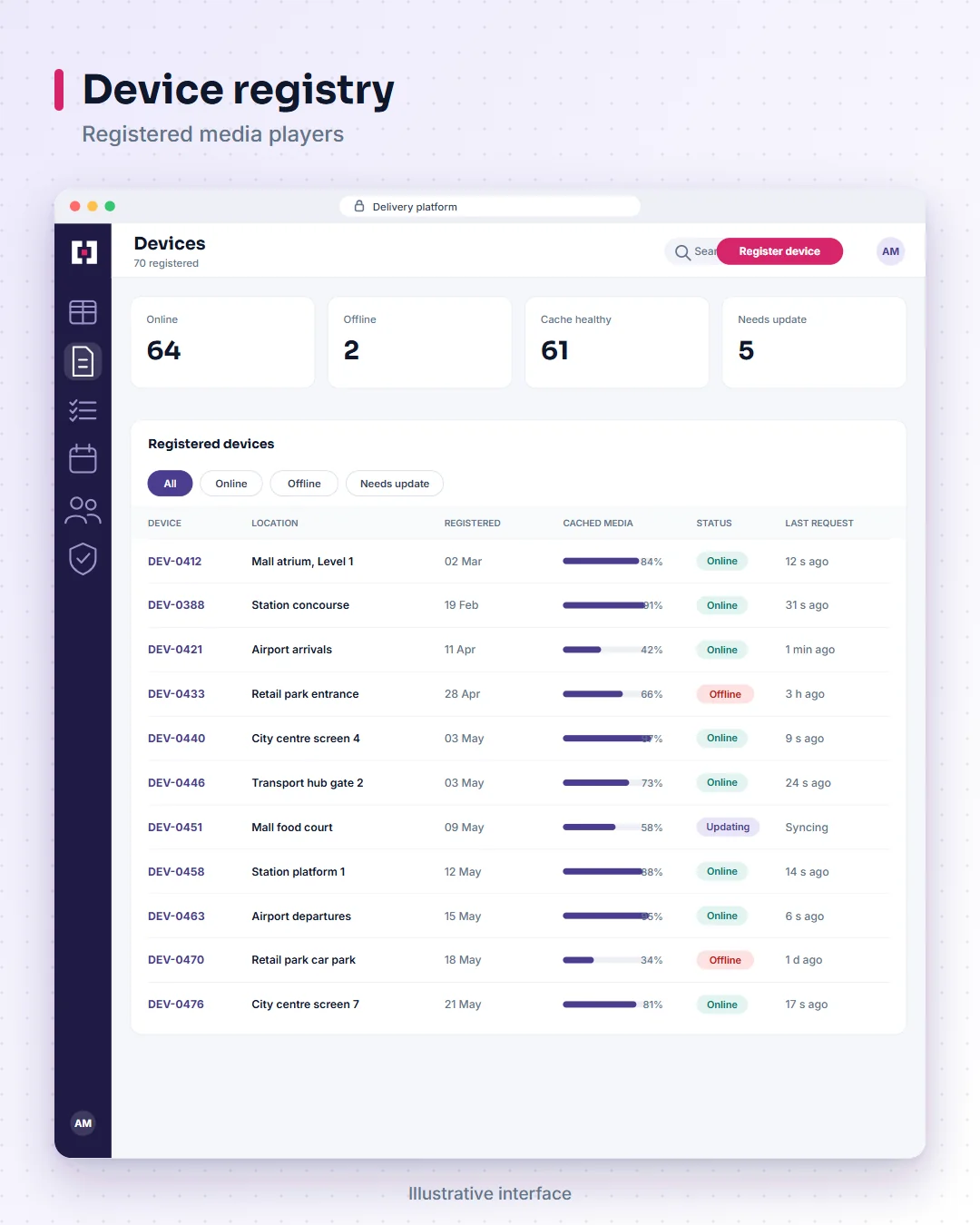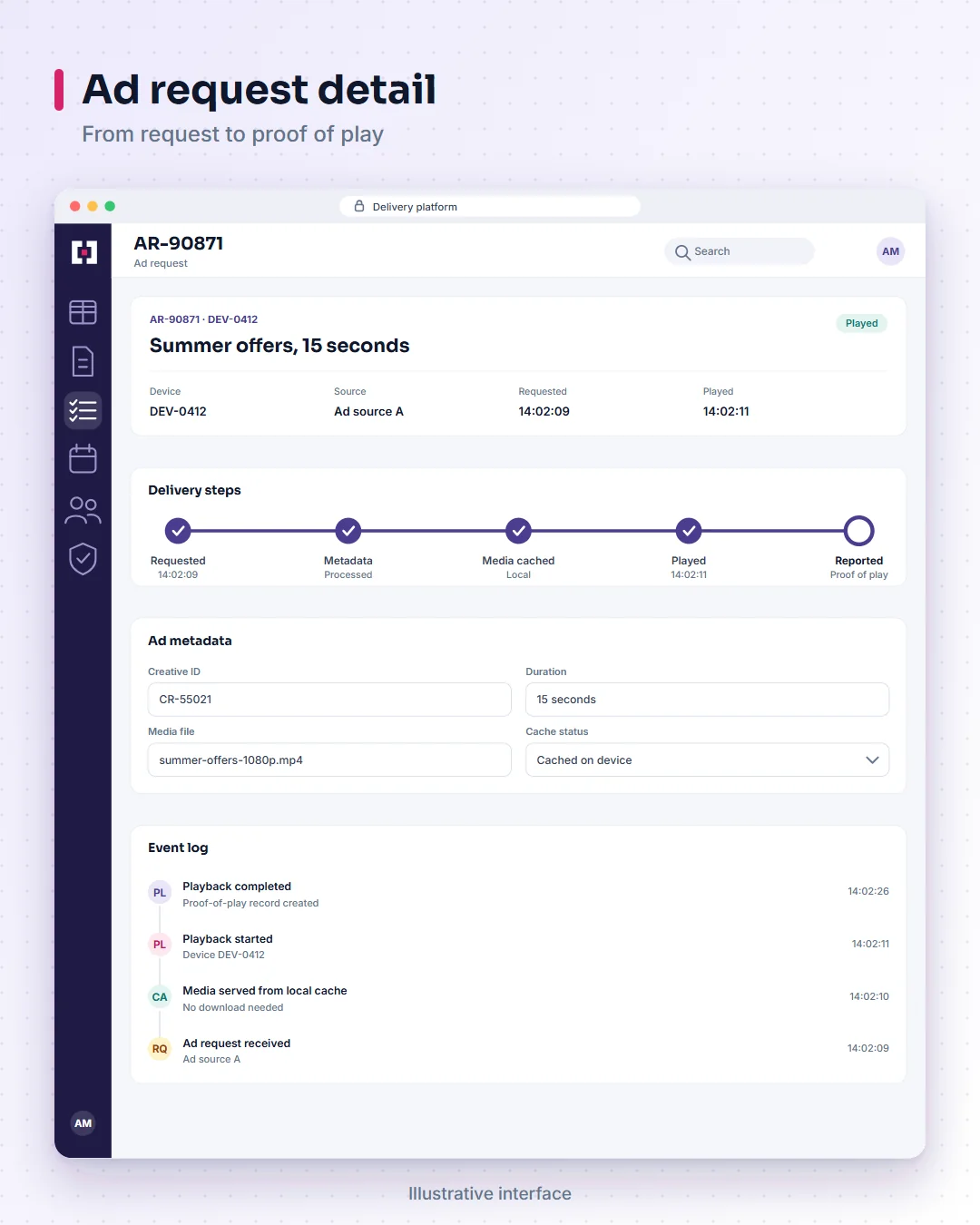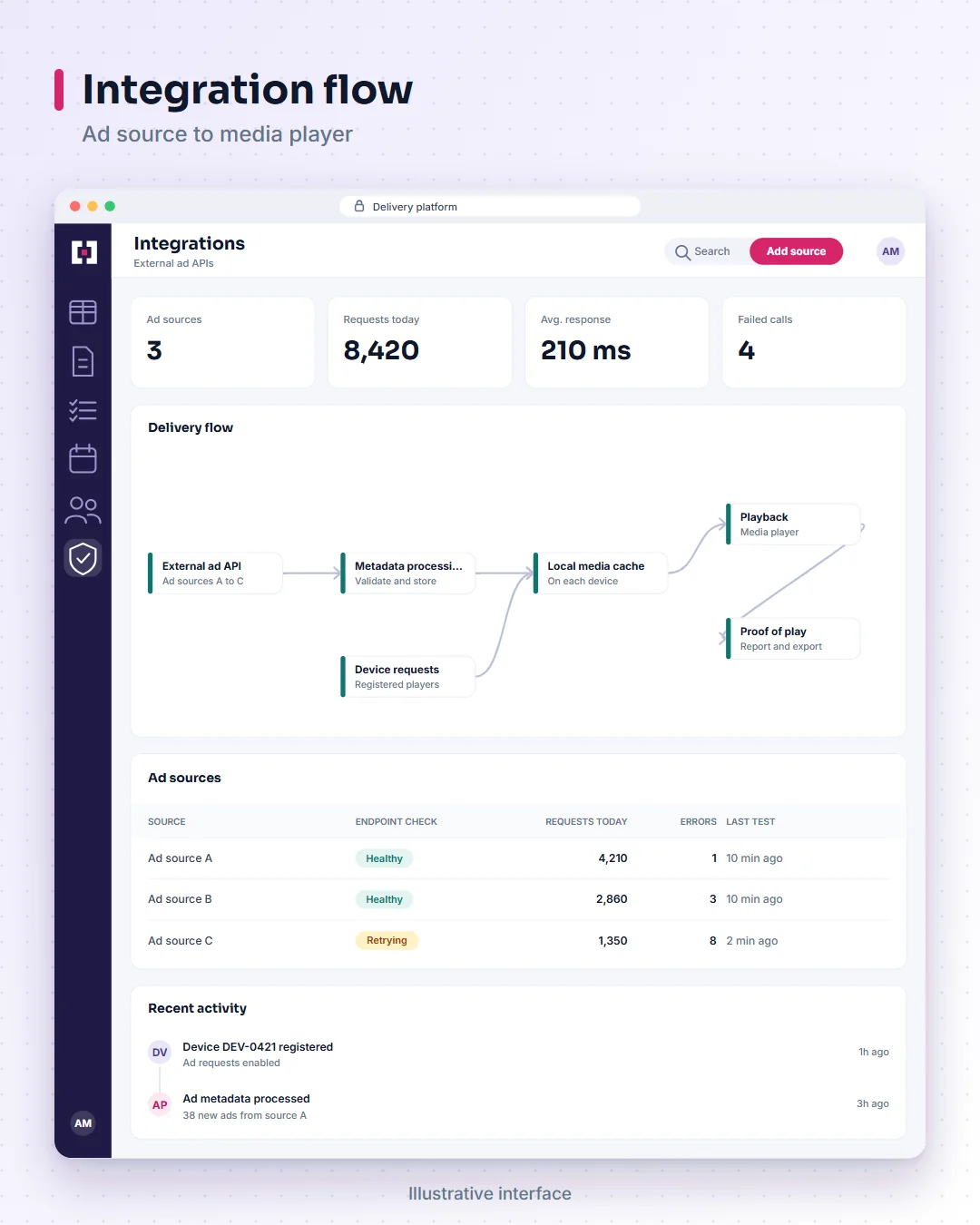
Digital signage proof of play integration: connect an external ad API to media players with metadata handling, local caching and playback reporting.
What problem does Programmatic Ad Delivery & Proof-of-Play Integration solve?
Digital signage operators may need to connect an external ad source to player devices while coping with network interruptions, media downloads, playback and the need for evidence that scheduled content was played.
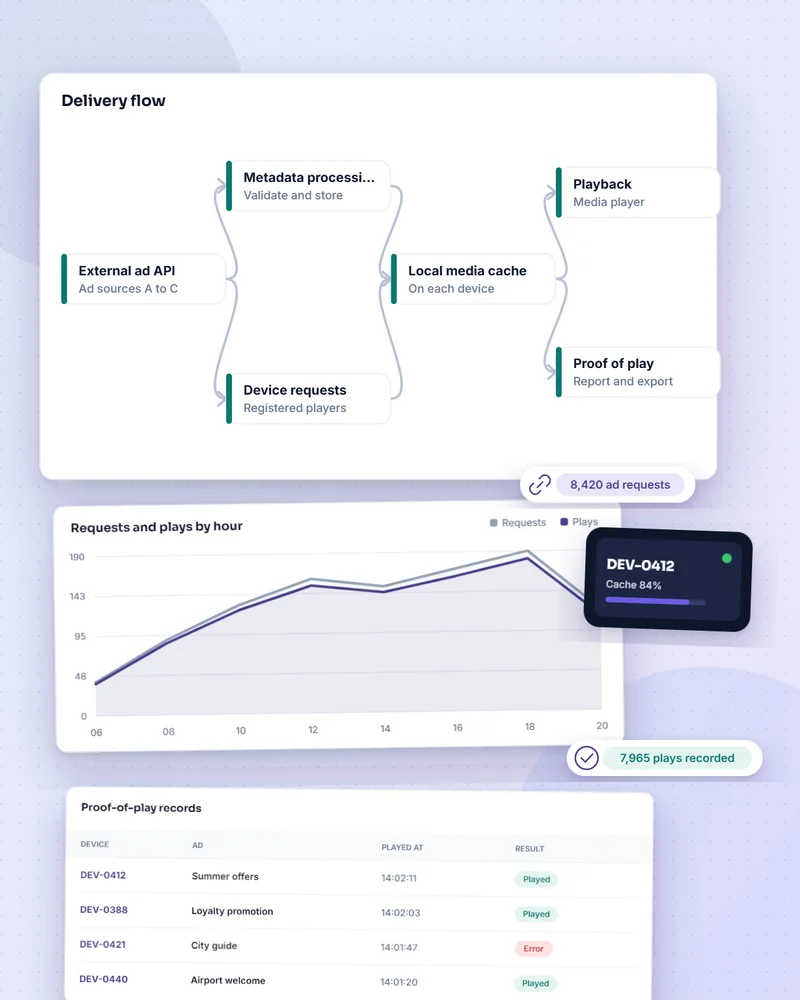
This integration defines that path end to end: ad request, metadata, download and caching, playback and playback reporting back to a backend.
What is digital signage proof of play integration?
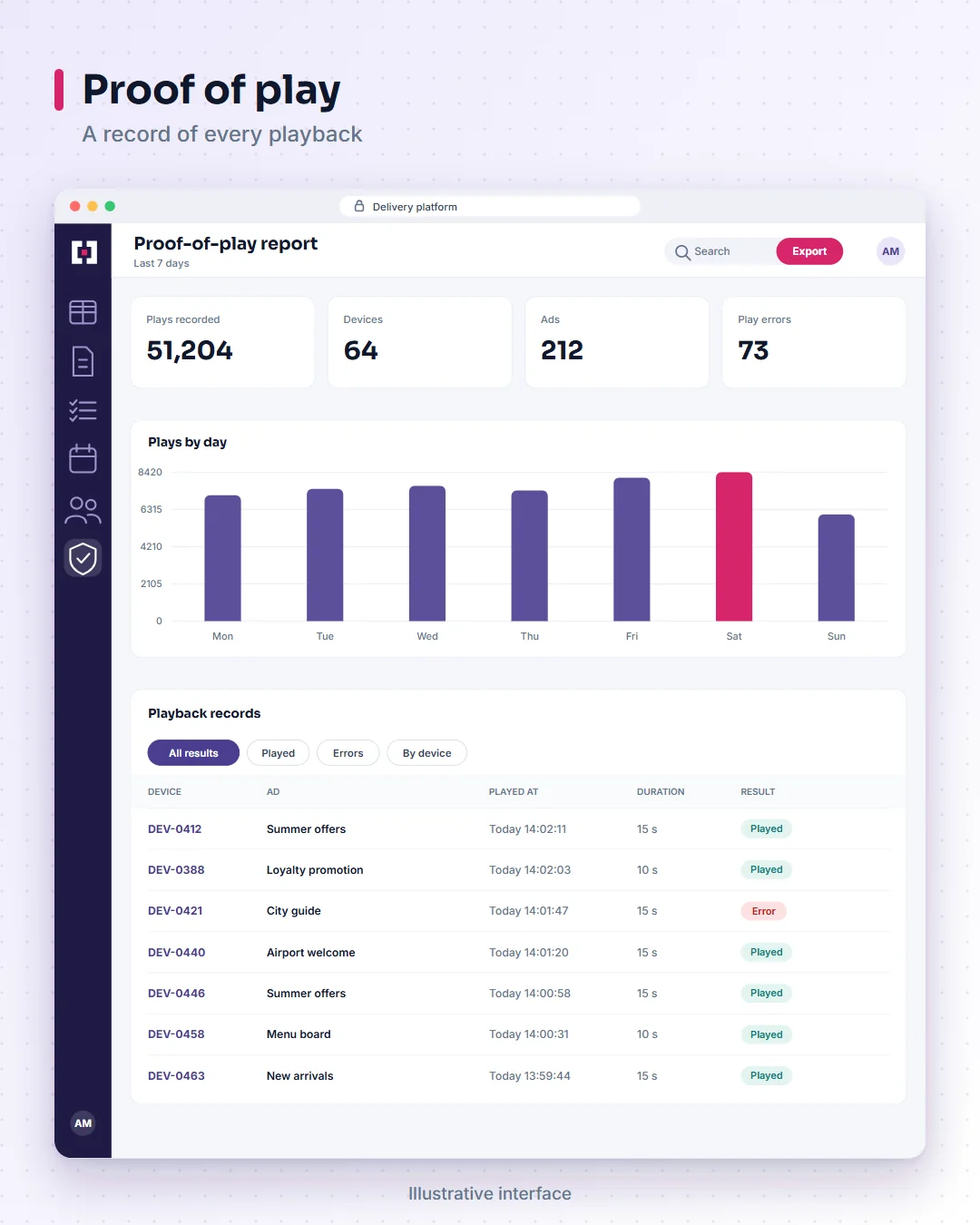
Digital signage proof of play integration connects an external advertising API to a media player workflow and records playback events, so an operator can see whether content was reported as played. This is an integration solution that TecBytz builds and customises for your player and backend. It is not ownership of the external ad inventory or of any third-party platform.
How does the integration work?
- Register and request. A player registers and requests ad content.
- Process. The backend retrieves ads from the external source and processes their metadata.
- Cache. The player downloads media and stores it locally to reduce repeat downloads.
- Play. The player plays the retrieved media.
- Report. Playback event notifications are sent to a backend for processing and storage.
Who uses proof-of-play integration?
Ad-tech engineers, digital signage operators, integration architects and media platform teams. Typical uses:
- External ad-source connection: an operator connects an ad provider's API to its own management backend.
- Media playback continuity: a player uses locally cached assets under its supported caching rules.
- Playback evidence: operations teams review recorded proof-of-play events.
What are the benefits of this integration?
- Ad delivery and player playback follow a defined workflow.
- Local caching can reduce repeated media downloads.
- Playback events are recorded where reporting succeeds.
- Failures can be diagnosed across the API, download and playback stages.
How does TecBytz deliver the integration?
TecBytz implements the backend integration, the player-side download and caching workflow, and playback reporting, with error handling and testing. See our enterprise application integration and testing and quality assurance services.
Integrations are scoped for each project. The connections listed on this page are the ones we typically recommend and build for this product, and hosting and deployment are agreed with you during discovery.
What can Programmatic Ad Delivery & Proof-of-Play Integration do?
External ad API integration
Connect to an external ad source through its supported API. Provider compatibility is verified per deployment.
Ad metadata processing
Process and store the information attached to retrieved ad content.
Device registration and ad requests
Register players and request ad content as part of the workflow.
Local media caching
Store media on the device to reduce repeat downloads.
Playback execution
Play retrieved media on the supported player.
Proof-of-play reporting
Send playback event notifications to a backend for processing and storage.
Error handling and testing
Handle failures across API, download and playback stages, and test the flow.
How is Programmatic Ad Delivery & Proof-of-Play Integration deployed and integrated?
Integrations
- External advertising and ad-exchange APIs (compatibility and authorisation are verified for each provider)
- Android and Flutter media players
- Backend reporting and billing systems
- Monitoring and alerting tools
Frequently asked questions about Programmatic Ad Delivery & Proof-of-Play Integration
What does this integration do?
It connects an external advertising source with a media-player workflow and records playback events.
What is proof of play?
A playback event, sent by the player and processed by the backend, that indicates a piece of content was played.
Does it work with every ad provider?
No. Compatibility depends on each provider's API and authorisation requirements, which are checked per deployment.
Does local caching guarantee offline playback?
Not as a guarantee. Local caching reduces repeated downloads and helps playback continue when the network is interrupted, but offline behaviour and cache rules are agreed and tested for each deployment.
Which devices are supported?
An Android player workflow is supported. Devices and versions are confirmed during scoping.
Last updated: