How to build an auditable risk workflow: the stages, the records and the approvals that let you show how every risk was identified, assessed and treated.
An auditable risk workflow is a defined path that every risk follows from identification to mitigation, leaving a record at each step that shows who did what, when and why. Auditable means someone else can reconstruct the decision later without relying on memory. For risk, security and compliance leaders, that property is what turns a risk register from a list into evidence.
Key takeaways
- Auditable means traceable: every risk has an owner, a score, a decision and a history.
- Design the stages first: identify, assess, review, treat, monitor and close.
- Record the reasoning, not just the outcome, at each decision point.
- Separate who raises a risk from who approves its treatment.
- Test the workflow by picking a risk at random and tracing it end to end.
What makes a risk workflow auditable?
A risk workflow is auditable when you can answer four questions for any risk without hunting: what was identified and by whom, how it was assessed and against what criteria, who decided how to treat it and on what basis, and what happened next. The answers must be recorded at the time, not reconstructed later.
That implies a few design rules. Each step produces a record. Records cannot be altered silently; changes are kept in a history. Responsibilities are assigned to named people. And decisions carry a reason in plain words.
Which stages should the workflow include?
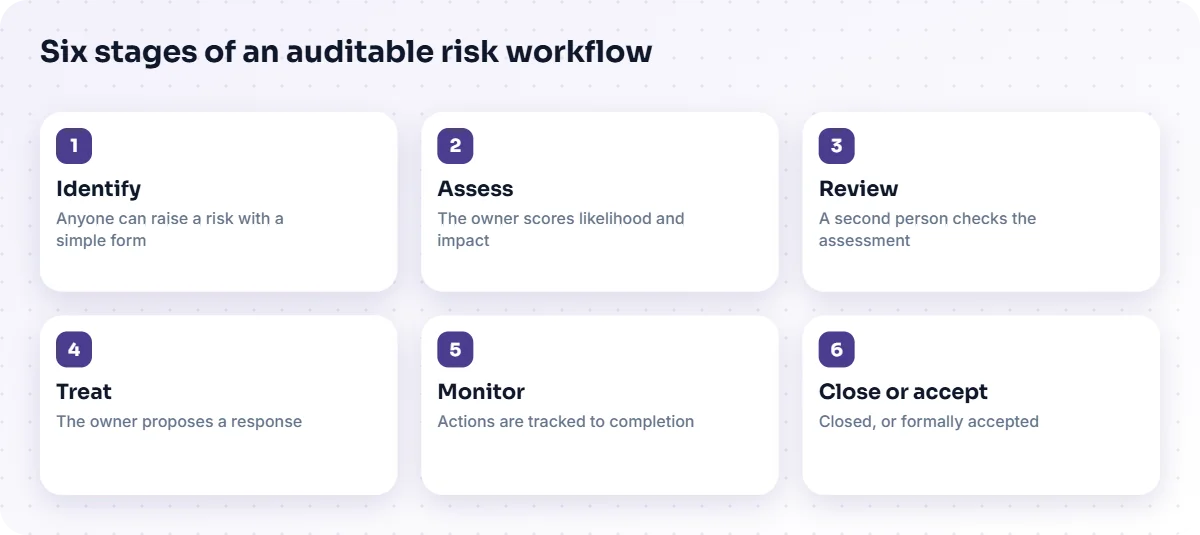
Most organisations need six stages. Names vary, but the logic is consistent.
- Identify. Anyone can raise a risk using a simple form: description, category, affected area and a suggested owner.
- Assess. The owner scores likelihood and impact against agreed criteria, and records the reasoning.
- Review. A second person or a committee checks the assessment, especially for higher scores.
- Treat. The owner proposes a response, such as mitigating, transferring, accepting or avoiding the risk, with actions, owners and due dates.
- Monitor. Actions are tracked to completion, and the risk is rescored to show the effect.
- Close or accept. The risk is closed or formally accepted by someone with the authority to do so.
The Enterprise Risk Management Platform from TecBytz follows this lifecycle: capture, classification, assessment against configured criteria, routing for review or approval, and monitoring of mitigation activities and history. You can read more on the Enterprise Risk Management Platform page.
How do you assign ownership so it holds up?
Assign one accountable owner to every risk and every action, and make sure the owner has accepted the role. A risk with no owner, or with a team as its owner, tends to stall. Three habits help:
- Owners are people, not departments. A department cannot be asked why an action is late.
- Acceptance is recorded. The owner confirms they have the risk, so nobody learns of it for the first time at a review.
- Delegation is visible. If an action is passed on, the record shows who and when.
Where should approvals sit?
Put approvals where the stakes are highest, and separate the person who raises or scores a risk from the person who approves its treatment. Segregation of duties is a long-standing control principle: it reduces the chance of a single person both creating and signing off a decision. Use thresholds so that lower-scoring risks move quickly and higher-scoring ones get more scrutiny.
| Score band | Who reviews | Who approves treatment |
|---|---|---|
| Low | Risk owner's line manager | Risk owner |
| Medium | Risk team | Head of the affected area |
| High | Risk committee | Senior leader named in your policy |
The bands and roles above are examples. Yours should come from your risk policy, and the workflow should enforce them.
What records should each step keep?
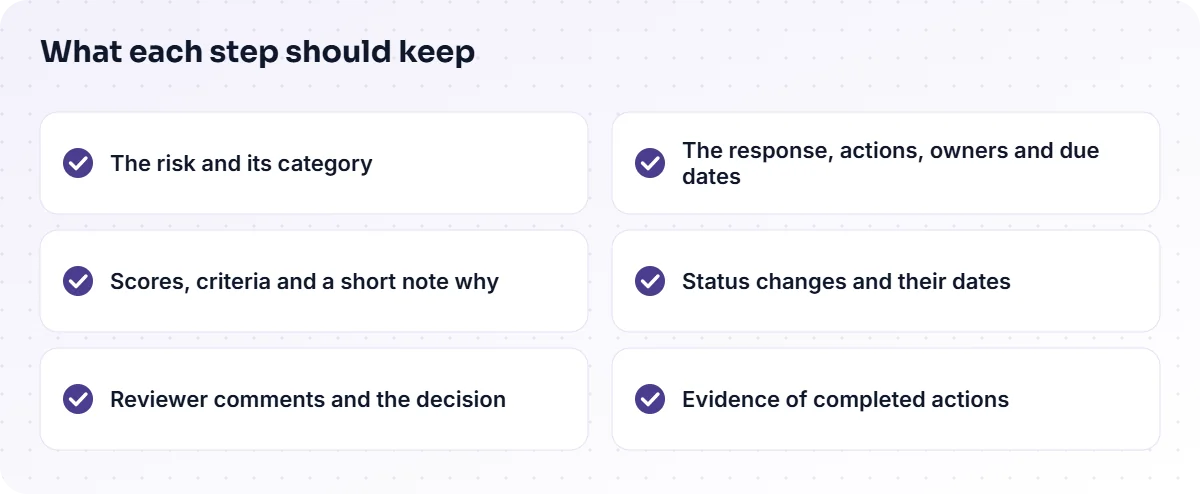
Keep enough to reconstruct the decision, and no more than people will realistically complete. At minimum:
- The description of the risk and its category.
- The scores and the criteria used, with a short note on why.
- Reviewer comments and the approval decision.
- The chosen response, with actions, owners and due dates.
- Status changes over time and the date of each.
- Evidence of completed actions, such as a document or a short confirmation.
A workflow history that retains these changes is what makes the register defensible. Whether a given deployment retains every change depends on its configuration, which TecBytz agrees with you at set-up.
How do you connect mitigation to the risk score?
Rescore the risk after mitigation so the register shows the effect of the work. Without a rescore, a completed action is just a ticked box. With one, you can see whether exposure actually fell, and a risk that remains high despite finished actions is a signal to rethink the response. Keep the original score alongside the new one so the change is visible.
How do you test that a workflow is auditable?
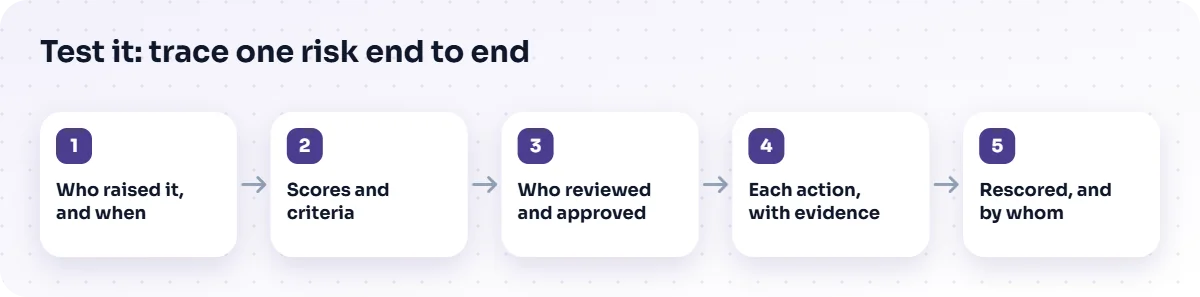
Run a simple trace test. Choose a few risks at random, including a closed one and an accepted one, and try to answer the four questions from the records alone. Time how long it takes. If you need to ask people or search email, the workflow has gaps.
- Pick a risk and find who raised it and when.
- Find the scores and the criteria applied.
- Find who reviewed and approved the treatment.
- Follow each action to completion and find the evidence.
- Check the risk was rescored, and by whom.
Repeat the test after any change to the workflow. It is cheap, and it finds problems before an auditor does.
Where do security and compliance teams fit in?
They are both contributors and consumers. Security teams raise technical risks and need them tracked alongside operational ones; compliance teams need the history to show that controls operated. A single workflow serves both, provided the categories are agreed up front. If you are weighing up the move from a spreadsheet, see from Excel risk register to a risk management platform.
Connecting the workflow to the rest of your environment, such as your directory or messaging tools, is a separate piece of work. Our enterprise application integration service covers what is needed beyond the standard set, and our business process automation service helps define the workflow.
How should risk information reach senior leaders?
Leaders need a short, current view that they can trust, with the ability to drill into any item. A good summary shows the highest risks, how exposure has changed since the last review, which actions are overdue and which risks are being accepted. Because every figure comes from the same records, the summary and the detail agree, and a leader who asks "why is this high?" can be shown the assessment and the reasoning in seconds.
Avoid dashboards that show only counts. A number of open risks says little; a list of the few that need a decision says a lot. Make the review meeting work from that list, and record its decisions in the workflow so the minutes and the register never diverge.
Frequently asked questions
What does auditable mean in risk management?
It means the reasoning and actions behind each risk can be traced and verified from records made at the time.
Do we need software for an auditable workflow?
Not strictly, but software makes history, ownership and reminders far easier to maintain consistently than manual files.
How many approval levels do we need?
As few as your risk policy allows. Use more scrutiny for higher scores and keep low-risk items moving.
Can risks be accepted rather than mitigated?
Yes. Acceptance should be a recorded decision by someone with the authority to make it, with a reason and a review date.
Next step
Trace one live risk through your current process today. Wherever you had to ask someone, a record is missing. To see how a platform can close those gaps, look at the Enterprise Risk Management Platform or talk to a TecBytz consultant.
Last updated: