
How to choose a recruitment management system that integrates with HR and payroll: the questions to ask, the data to map and the traps to avoid.
A recruitment management system that integrates with HR and payroll passes a candidate's details forward once they are hired, instead of making someone type them again. For HR and operations leaders, integration is often the deciding factor: a system that screens well but sits on its own island creates re-keying, errors and delays at the moment a new starter should have a smooth first week. This guide sets out what to ask, what to map and how to test, whichever supplier you choose.
Key takeaways
- Decide what data must flow, in which direction and when, before you compare suppliers.
- Ask for specific, named integrations and how they work. Do not accept "integrates with everything".
- Check ownership: who builds, runs and fixes each connection?
- Test with realistic records, including awkward ones, before you rely on the link.
- Treat candidate data with care: define retention, access and deletion up front.
Why does integration matter in recruitment?
Integration matters because hiring creates data that other systems need. When a candidate accepts an offer, the HR system needs a new employee record, and payroll needs the details that follow from it. If those steps are manual, they are slow and error-prone, and mistakes can reach someone's pay. Integration also helps earlier in the process: calendars for interview scheduling, email for candidate updates and identity systems for access control.
The question to ask is not whether it integrates, but which data moves, how, and who is responsible when it fails.
What data should flow between the systems?
Map the data before you talk to suppliers. A typical picture looks like this, though yours will differ.
| Connected system | Typical data | Direction |
|---|---|---|
| HR system | Approved vacancy in; hired candidate's details out | Both |
| Payroll | Starter details after the HR record is created | Usually via HR |
| Calendar and email | Interview availability and candidate messages | Both |
| Identity and access | User accounts and roles for the hiring team | In |
| Job boards | Published vacancies in; applications back | Both |
Notice that payroll often receives data through the HR system rather than directly from recruitment. Confirm the intended route in your own environment, because it affects what the recruitment system needs to provide.
What should you ask a supplier about integrations?
Ask for specifics, and ask the same questions of every supplier so the answers are comparable.
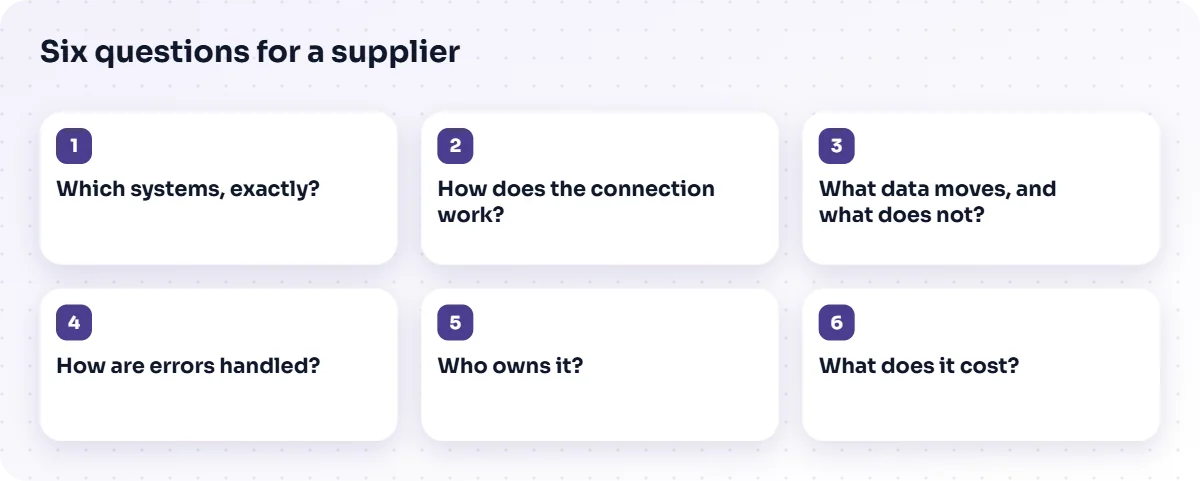
- Which systems, exactly? Which named HR, payroll, calendar and identity products are supported, and which versions?
- How does the connection work? Is it a standard connector, an API you use, a file transfer or custom work?
- What data moves, and what does not? Request a field-level list.
- How are errors handled? What happens when a record fails, who is told and how is it retried?
- Who owns it? Who builds, hosts, monitors and fixes the connection, and under what support terms?
- What does it cost? Is integration included, or priced per connection or by effort?
Be wary of answers that name technologies but not business systems. A product may use certain databases, queues or containers internally, which is not the same as supporting your HR or payroll platform.
Which integration approaches exist?
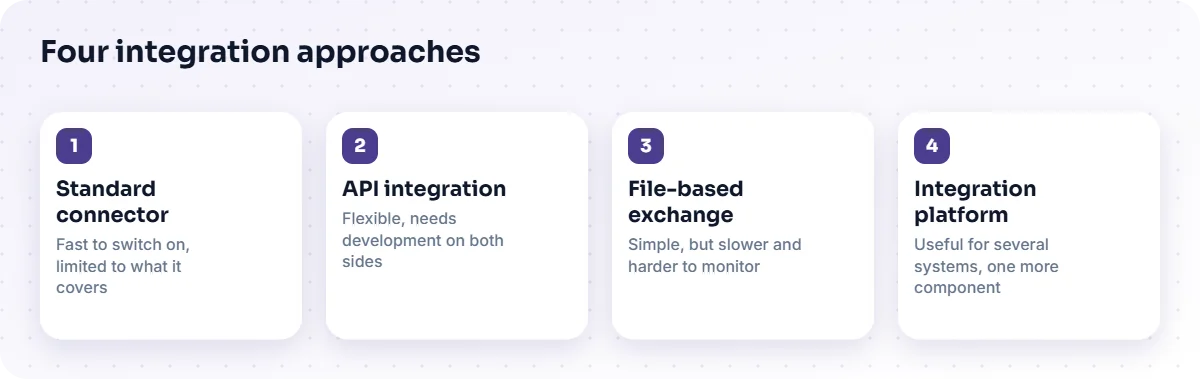
There are four common approaches, each with trade-offs.
- Standard connector. Fast to switch on, but limited to what the connector covers.
- API integration. Flexible, and needs development and maintenance on both sides.
- File-based exchange. Simple and widely supported, but slower and harder to monitor.
- Integration platform or middleware. Useful when several systems must exchange data, at the cost of another component to run.
Pick the lightest approach that meets the need. Where your landscape is complex or includes older systems, enterprise application integration design is worth doing before you commit to a product.
How do you test an integration properly?
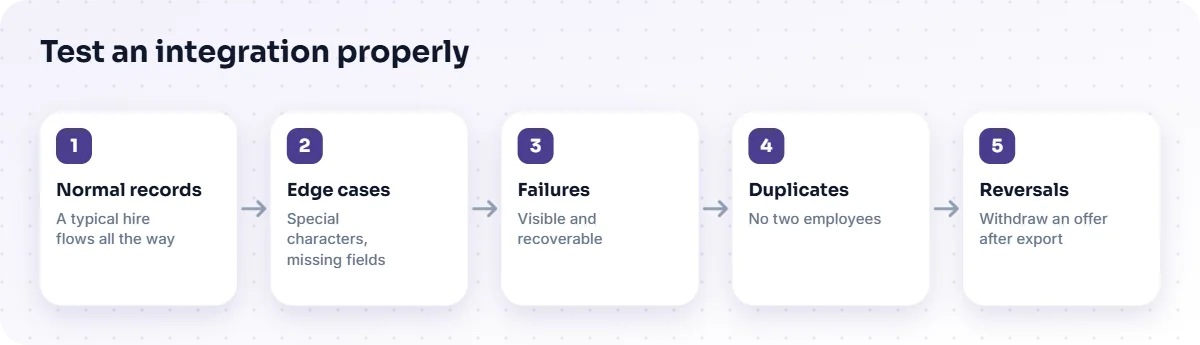
Test with realistic data, including the awkward cases, before go-live. Happy-path tests prove little.
- Normal records. A typical hire flows through all the way.
- Edge cases. Names with special characters, missing fields, long addresses and unusual contract types.
- Failures. Switch off a downstream system and confirm the failure is visible and recoverable.
- Duplicates. Send the same record twice and check it does not create two employees.
- Reversals. Withdraw an offer after export and see what the other systems do.
Our testing and quality assurance team can plan this with you.
What about candidate data and privacy?
Every integration copies personal data, so each copy needs a purpose, an owner and a deletion rule. Decide what is kept for candidates who are not hired, for how long and who can see it. Make sure the recruitment system and the systems it feeds agree on these rules, and that candidates are told how their information is used. Legal and security teams should be involved early.
What does TecBytz say about its own integrations?
We would rather be exact than impressive. The AI Recruitment & Talent Screening Platform includes resume parsing, scoring, assessments, a candidate portal, interview self-scheduling and templated email. Connections to your HR system, payroll (usually through HR), calendar and email, job boards and directory or single sign-on are scoped for each project: we agree the data, the direction and the owner with you, then build and test the link. We do not promise a ready-made connector for a particular product before we have looked at your environment. Details are on the AI Recruitment & Talent Screening Platform page.
How do you compare suppliers fairly?
Score each against the same list and weight it to your priorities. A simple scorecard could include fit with your process, named integrations, data and privacy controls, reporting, the quality of support and total cost. Ask for a reference conversation or a demonstration using your own scenario, not a scripted one. For a view of the process side, read automating high-volume hiring for operations teams.
How do you plan the cut-over?
Plan the cut-over as a short project of its own. Choose a quiet period, agree who may create new starters in which system during the switch and decide how in-flight candidates will be handled. Migrate open requisitions and active candidates deliberately, rather than assuming everything will move on its own, and keep the old system read-only for a defined time so that nothing is lost.
Prepare a rollback plan. If the integration fails on the first live hire, people need to know exactly how to complete that hire manually and how to reconcile it later.
Which contract points matter for integrations?
Confirm in writing who maintains each connection, how changes to either side are handled, what the response times are for failures and what happens to your data if you leave. Check whether integration work is included in the price or charged separately, and who owns any custom code. These points are easy to overlook while comparing features and costly to discover afterwards.
Frequently asked questions
Does a recruitment system need to connect to payroll directly?
Not always. Many organisations pass hired-candidate data to the HR system, which then feeds payroll. Confirm the route in your environment.
What is the difference between an API and a connector?
A connector is a ready-made link for specific products. An API is an interface you can build against, which is more flexible but needs development.
How long does an integration take?
It depends on the systems, the data and the approach. TecBytz gives you an estimate once we have looked at your environment during discovery.
Who is responsible when an integration fails?
Agree this in writing before go-live: who monitors it, who fixes it and how quickly.
Next step
Draw the data flows for your hiring process on one page and mark which are manual today. That page is your integration brief. To discuss it, book a discovery call or look at the AI Recruitment & Talent Screening Platform.
Last updated: