How to automate non-conformance and CAPA workflows: the stages worth automating, the controls to keep, and the mistakes that stall corrective action.
To automate non-conformance and CAPA workflows is to let software carry a problem from the moment it is raised to the moment its fix is verified, instead of relying on emails and reminders. A non-conformance is any case where something does not meet a requirement. CAPA stands for corrective and preventive action: the work done to fix the cause and stop it recurring. The aim of automation is not speed for its own sake. It is making sure no issue is lost and every action can be shown to have worked.
Key takeaways
- Automate the routing, reminders and records. Keep the investigation and judgement with people.
- Every record needs one named owner, a due date and a clear status at all times.
- Separate the quick fix (correction) from the fix for the cause (corrective action).
- Close an action only when someone has checked that it worked, not when the work is done.
- Measure ageing and recurrence, not just the number of records opened.
What is a non-conformance and CAPA workflow?
A non-conformance and CAPA workflow is the defined path an issue follows from detection to verified closure. It usually has five stages: raise, investigate, act, verify and close. At each stage the workflow decides who must do what next, and records the outcome.
The distinction between a correction and a corrective action matters. A correction deals with the immediate problem, such as reworking a faulty batch. A corrective action deals with why it happened, such as changing a step or a control so it does not happen again. Preventive action looks ahead, addressing a risk before it causes a failure. Workflows that blur these three tend to close records without fixing anything.
Why do CAPA processes stall without automation?
They stall because the process depends on people remembering and chasing one another. The typical failure points are small and repeated:
- An issue is noticed but never formally raised, so it has no owner.
- A record sits waiting for someone who has not been told it is theirs.
- An investigation stops at the first plausible cause.
- An action is marked done without anyone confirming the effect.
- Nobody sees the older records, because the list is long and unsorted.
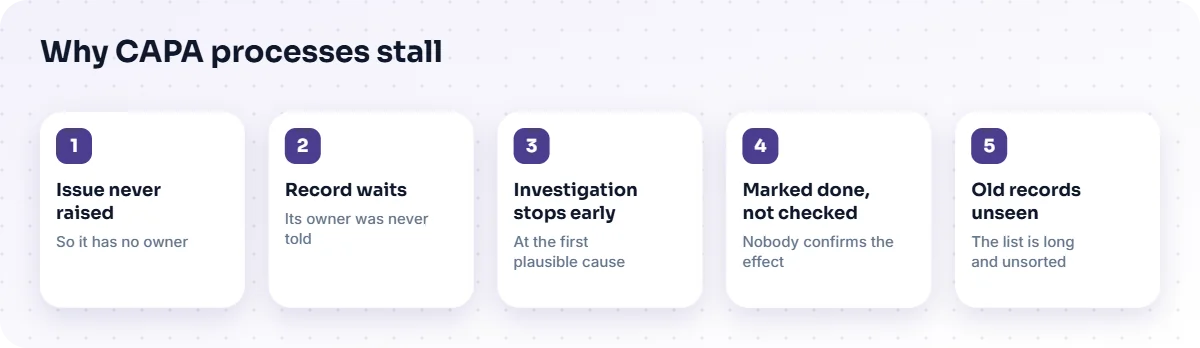
Automation addresses the mechanical part of each: routing the record to the right person, reminding them, escalating when a date is missed and keeping the history.
Which steps are worth automating?
Automate the steps that are about movement and memory, not the ones that need expertise. The table shows a practical split.
| Stage | Automate | Keep with people |
|---|---|---|
| Raise | A simple form, mandatory fields, automatic reference number, notification to the owner | Deciding what counts as a non-conformance |
| Investigate | Assignment, due dates, a place to attach evidence | Finding the real cause |
| Act | Task creation, reminders, escalation when overdue | Choosing the right action |
| Verify | A required check step with a named reviewer | Judging whether the fix worked |
| Close | Status change, history kept, links between related records | Deciding whether to reopen |
How do you design a CAPA workflow that gets closed properly?
Design it around ownership and verification. A workflow that tracks tasks but not outcomes simply produces tidy lists of unfinished problems.
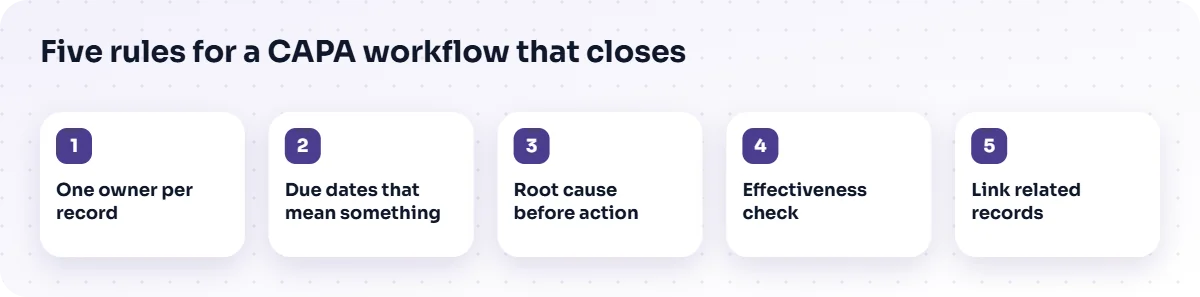
- One owner per record. Shared ownership means nobody owns it. If several people work on it, one person is still accountable.
- Due dates that mean something. Set them by severity, and let the workflow escalate to a manager when they pass.
- Root cause before action. Make the cause a required field before an action can be proposed, so the team cannot skip straight to a fix.
- Effectiveness check. Require a later review, with a date, to confirm the problem has not returned. Closing on completion alone is the most common design flaw.
- Link related records. Connect repeat issues to each other so recurrence is visible rather than hidden in separate entries.
What should you measure?
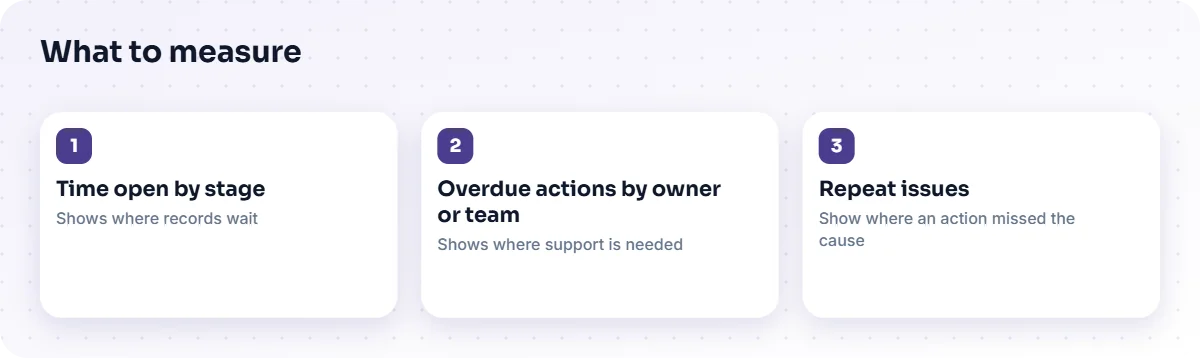
Measure how long records stay open, how many are overdue, and how often the same issue comes back. The count of records opened tells you little on its own: a rising number can mean a worsening process or a healthier reporting culture. Ageing and recurrence are harder to misread.
- Time open by stage shows where records wait.
- Overdue actions by owner or team shows where support is needed.
- Repeat issues show where a corrective action did not address the cause.
Dashboards are only useful if the underlying records are trustworthy, which is why the record design comes first.
What are the common mistakes?
- Automating a bad process. Speeding up a confused workflow produces confusion faster. Map the process first.
- Too many mandatory fields. If raising an issue is a chore, people stop raising them. Keep the first step light and add detail later.
- Treating every issue the same. A cosmetic fault and a safety concern need different routes and deadlines.
- Ignoring the verification step. Without it, the system measures activity, not effect.
- Forgetting training. A workflow people do not understand will be worked around.
How does this fit with a wider quality system?
CAPA is one part of a wider quality process, alongside controlled documents, training and process improvement. Handling them in one place means an issue can point to the procedure it affects and the training it triggers. The Quality Management System from TecBytz organises supported quality workflows in modules for this reason. It is a ready-built product that we deploy, customise and integrate; read more on the Quality Management System page. If you are still deciding whether a platform is justified, QMS software vs spreadsheets explains what changes in an audit.
For the surrounding work, our business process automation service helps define the workflow, and our testing and quality assurance team can test it before it goes live.
How do you handle severity and urgency?
Grade each record by severity when it is raised, and let that grade set the deadline and the escalation route. A minor cosmetic issue can wait for a weekly review. A problem that affects safety, a customer or a regulated product should reach a senior person quickly. Without grading, urgent records sit in the same queue as trivial ones and the dates lose meaning.
Keep the grading scale short, with clear descriptions and one or two examples for each level, so two people raising similar problems choose the same grade. Revisit the scale after a few months: if nearly everything is graded the same, the scale is not doing its job.
What does a good CAPA record contain?
A good CAPA record tells the whole story to someone who was not involved. It should hold a clear description of the problem, the evidence, the immediate correction, the identified root cause, the corrective and preventive actions with owners and dates, the effectiveness check and the final decision to close. Short, factual entries beat long narratives. Attach evidence rather than describing it, and link the record to the procedure, product or process it concerns so related problems can be found later.
Frequently asked questions
What is the difference between correction and corrective action?
A correction fixes the immediate problem. A corrective action removes the cause so it does not recur. Both are usually needed, and a workflow should record them separately.
Can CAPA be fully automated?
No. Routing, reminders and records can be automated. Finding the cause, choosing an action and judging whether it worked need people.
How do we stop people closing actions too early?
Require a separate verification step, assigned to a named reviewer with a date, before a record can be closed.
Does automating CAPA guarantee compliance?
No. It helps you follow and evidence your own process. Compliance with any standard depends on that process and on an assessment of it.
Next step
If non-conformances in your organisation still move by email, pick one recent record and trace how long it spent waiting. That gap is what automation should close. When you are ready to design the workflow, see the Quality Management System or talk to a TecBytz consultant.
Last updated: